
WHY SSD IS MORE FASTER THAN HDD
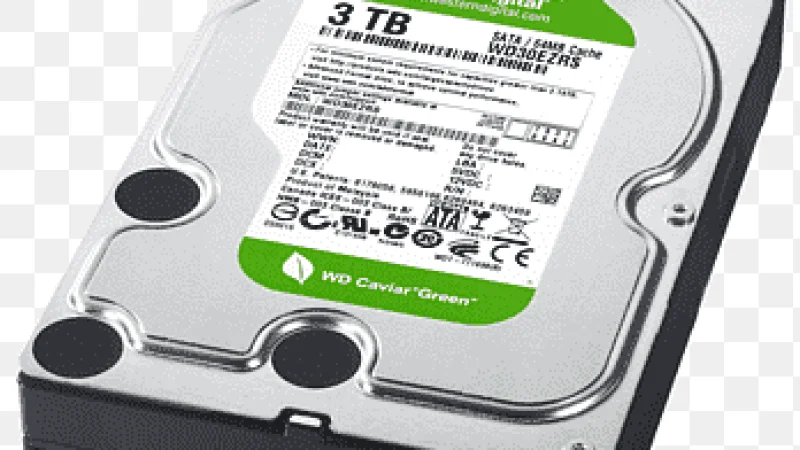
1. Moving parts vs no moving parts
- Hard Disk Drive (HDD)Has spinning disks (like a CD)
- Uses a mechanical arm to read data
- Solid State Drive (SSD)No moving parts
- Uses flash memory chips (like a USB drive, but faster)
👉 Mechanical movement = slower
👉 Electronic access = faster
⚡ 2. Access time (biggest reason)
When your PC looks for a file:
- HDD 🐢
- → Waits for disk to spin + arm to move
- → Takes milliseconds (slow in computer terms)
- SSD 🚀
- → Instantly finds data electronically
- → Takes microseconds (much faster)
📊 3. Speed comparison
Typical speeds:
| StorageSpeed | |
| HDD | ~80–160 MB/s |
| SSD | ~500–3500+ MB/s |
👉 SSD can be 5× to 20× faster
🖥️ 4. Real-life difference
With SSD:
- Windows boots in 10–20 seconds
- Apps open instantly
- Games load faster
With HDD:
- Boot can take 1–2 minutes
- Apps feel slow
- Long loading screens
🔥 5. Extra advantages of SSD
- ✅ More durable (no moving parts)
- ✅ Less noise (silent)
- ✅ Lower power usage
- ✅ Less heat
⚠️ Only downside
- 💰 SSDs are more expensive per GB than HDDs
🏁 Simple answer
👉 SSD is faster because it has no moving parts and accesses data instantly
👉 HDD is slower because it must physically move parts to find data
Interlogix Editorial Team
VerifiedThe Interlogix editorial team shares expert insights, buying guides, product comparisons and practical tutorials covering laptops, desktop computers, printers, networking equipment, computer accessories, business IT solutions and enterprise technology. Our goal is to help individuals and businesses choose the right technology and get the most value from their IT investments.